User Journeys
The core paths through the product, end to end. Each journey below is traceable on the Screen Flow Map — select a screen there to see its inbound and outbound connections.
Booking a visit (staff)
- Sign in →
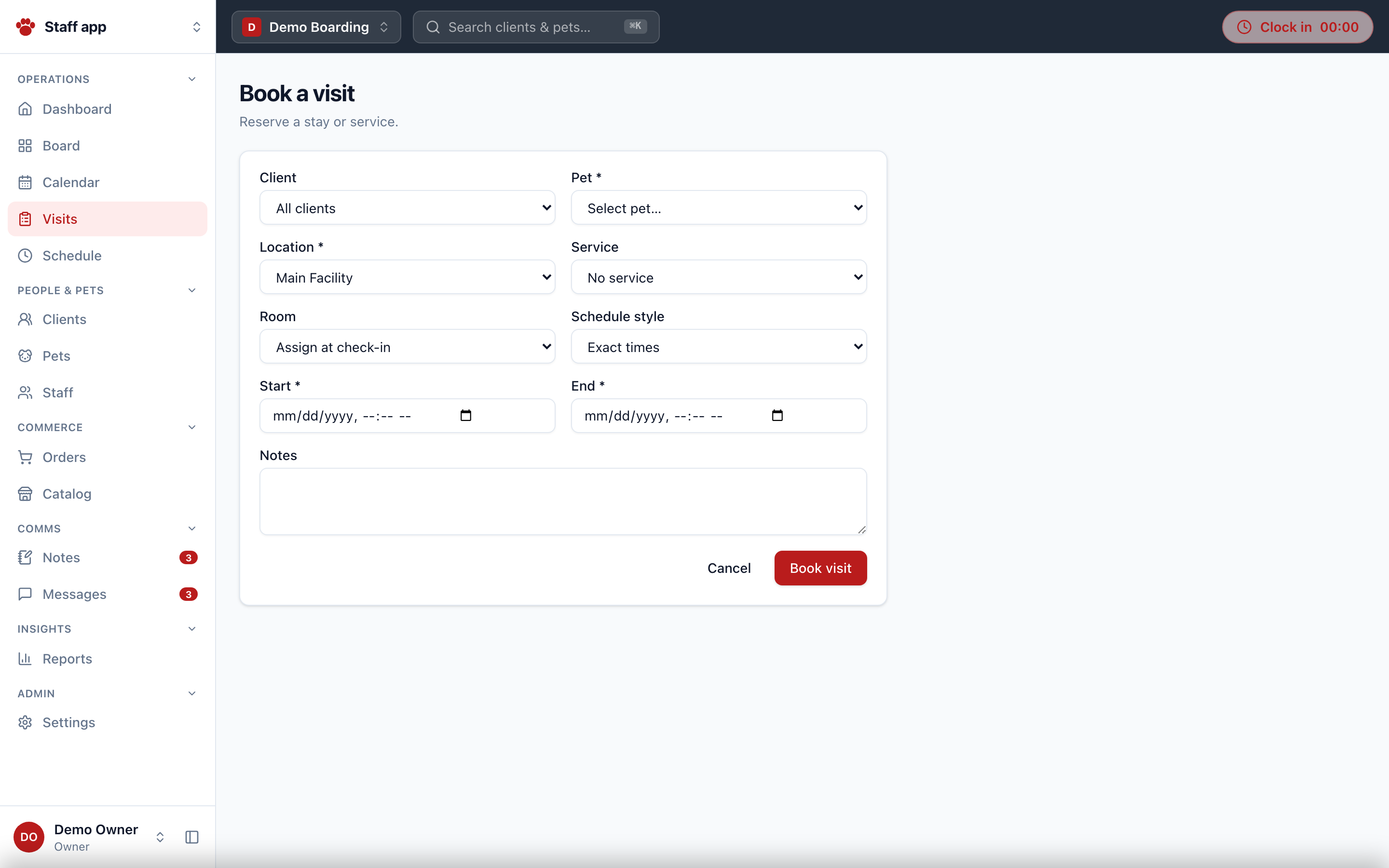
/login→/accounts→ choose org →/o/{slug}/dashboard. - Find the pet — three ways: Clients list → client detail → pet row; Pets list → pet detail; or global search (
⌘K) from anywhere. - Book — "Book visit" on the client or pet page opens
/visits/newprefilled with?client=/?pet=. Picking a boarding/service product applies its default room and schedule style. - Save — creates the visit as
planned(server-enforced state machine) and redirects to the visit detail. - Deposit — the visit links to its order; the deposit can be collected there (
deposit_due → deposit_met). - Arrival — the 15-minute cron flips
planned → due_ininside the org's early-check-in window. Check-in happens on the Facility Board or the visit detail; it is gated on unsigned required agreements (desk e-sign, or a manager override withvisits.checkin_override) and surfaces the deposit state. - The stay — one-tap care logging on the board: feeding, medication doses (paired to standing medication needs), potty, play, walks, photos. Issues can be opened (normal or serious).
- Departure — check-out transitions
in_house → completedand decrements the live in-house count. Overdue stays get flagged automatically past the late-checkout grace period.
Checkout / point of sale
/orders→ New order — the POS builder: line items by product (grouped service / product / boarding), optional pet, quantity; live subtotal, per-location tax (basis points, default 9.25%), total.- Create → redirects to the order detail.
- Take payment — record cash/card/bank/wallet manually, or charge a saved card (dev vault locally; Stripe off-session PaymentIntents in production). Payments cap at the balance.
- Refunds — manager-level by default; refunds cap against each payment's remaining refundable balance, and refunding a payment older than 30 days requires the owner-level
orders.refund_overridegrant. - Receipt — printable at
/orders/{id}/receipt(print-to-PDF). - Retail products decrement
inventoryCounton sale.
Client self-service (portal)
The flagship zero-staff-touch journey, verified end-to-end in the Playwright harness:
- Pet parent signs in at the same
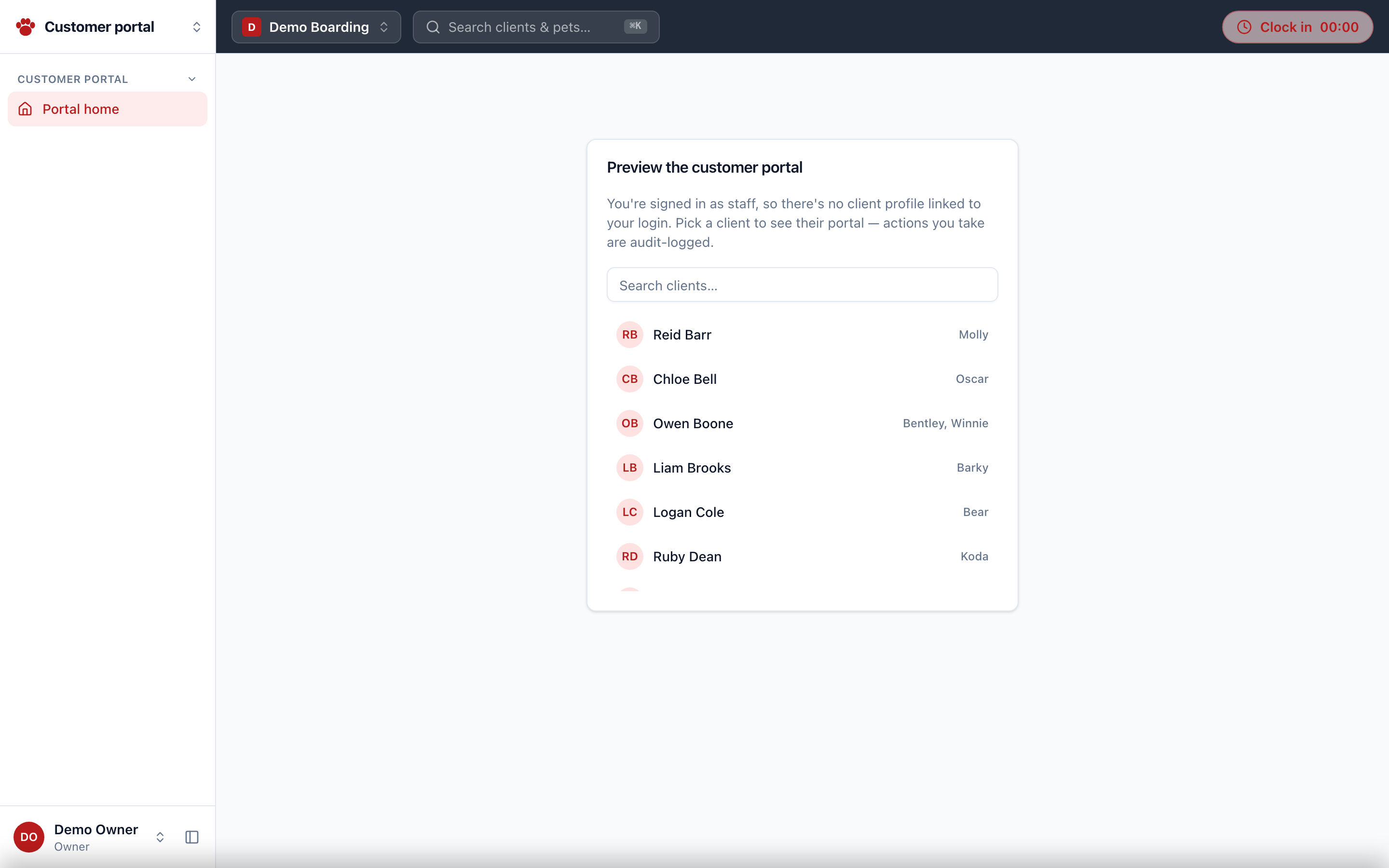
/logindoor → lands in/o/{slug}/portal(no staff shell). - Saves a card to their wallet (Stripe Elements in production, dev vault locally).
- Books a stay — picks a bookable product, pet, dates; this creates the visit and its order with the deposit.
- Pays the deposit with the saved card.
- Along the way they can sign agreements, upload vet records to their pets, and message the front desk (two-way threads; staff reply by email/SMS/in-app channel).
Staff can see exactly what a client sees: View portal as client on the client detail starts an audit-logged impersonation (?as={clientId}) with a banner and an exit link back to the client.
Onboarding a new tenant
- Prospect lands on
/apply(linked from the marketing site and/our-customers) and completes the 3-step wizard: business → contact & scale → review. - The application lands in
/platform(platform owners only). - Review → Approve provisions a new inactive org (slug
{slug}-new,America/Chicago,manualpayment provider) ready for configuration. - Org setup happens in Settings: locations & rooms, role policies, agreements (versioned, require-for-booking), catalog, food brands, reminders, branding.
Staff operations day-to-day
- Clock in/out from the header clock widget on any org page; the pill shows elapsed time while on the clock.
- Schedules — managers build the weekly shift grid; staff see "My hours" (
/staff/me/hours) from the user menu. - Approvals — managers approve time entries; the dashboard HR row surfaces pending approvals, missed punches (open entries >16h), and overtime watch (over / approaching 40h).
- Notes — managers post to the internal board; urgent notes require acknowledgment with an
x/yread-receipt counter.
Automated journeys (no user)
- Visit status sweep (every 15 min):
planned → due_ininside the early window;in_house → overduepast the late grace. - Reminder dispatch (every 30 min): active reminder configs (
upcoming_visit,vaccine_expiry) fill their template, dedupe against the reminder log, drop an in-app message on the client's thread, and send email via Resend when configured.